Hunting & Detecting Remcos RAT with Splunk & Sysmon
Employing dynamic analysis over a live Remcos RAT malware sample to research and develop counter-detection strategies.
I shifted gears from my usual ELK stack to run Splunk as the central platform for this one — which also let me play with Sysmon events alongside Elastic-EDR events. This research turned into a fairly detailed study, so I'm using Notion's toggle headings here to keep it navigable rather than one very long linear post.
Sample Details
| Field | Value |
|---|---|
| SHA256 | 1cc7f88b0947e4e27379b47468dd04595e611c550a0ca50954774e32dffbf9ed |
| SHA1 | 401280fa30cee123234a93bab119a32202bb489a |
| MD5 | 9ea7decd63da70f9139a3595e0b8dbf6 |
| humanhash | timing-carpet-tennis-kansas |
| File name | 9EA7DECD63DA70F9139A3595E0B8DBF6.exe |
| Signature | RemcosRAT Alert |
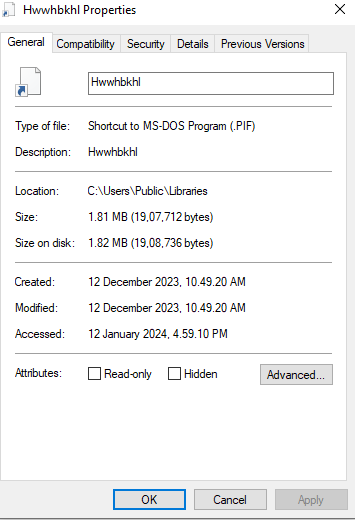
| File size | 1,907,712 bytes |
| First seen | 2023-12-12 03:50:09 UTC |
| File type | exe (Win32, Borland Delphi 6) |
| Reporter | abuse_ch |
Process Tree Exploration
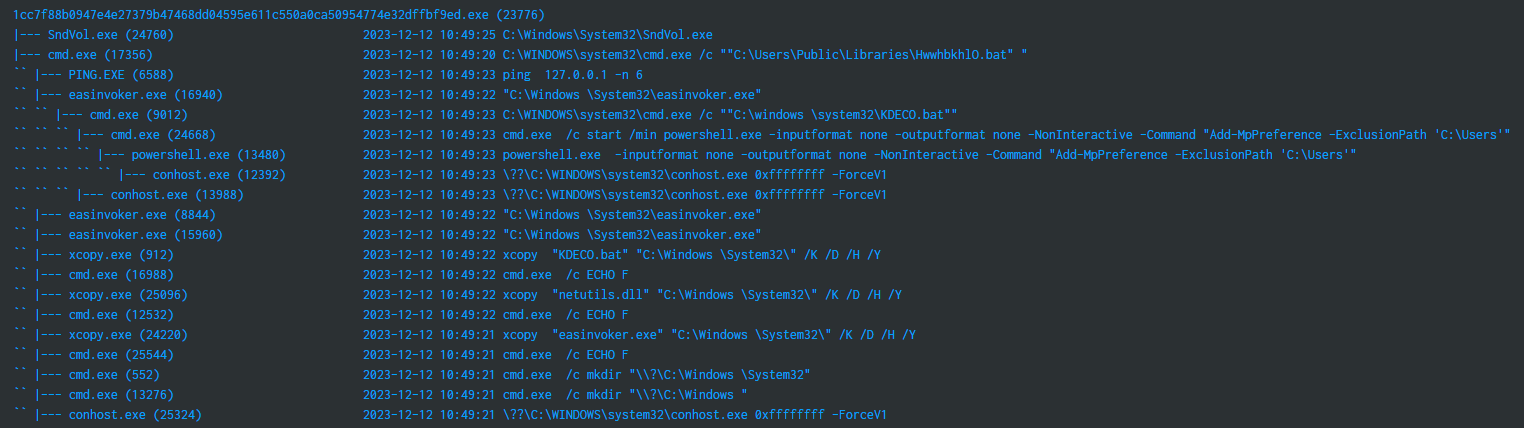
index="win-logs" AND source="WinEventLog:Microsoft-Windows-Sysmon/Operational" EventCode=1 AND NOT elastic
| rex field=ParentImage "\x5c(?<ParentName>[^\x5c]+)$"
| rex field=Image "\x5c(?<ProcessName>[^\x5c]+)$"
| eval parent = ParentName." (".ParentProcessId.")"
| eval child = ProcessName." (".ProcessId.")"
| eval detail=strftime(_time,"%Y-%m-%d %H:%M:%S")." ".CommandLine
| pstree child=child parent=parent detail=detail spaces=50
| search tree=*1cc7f88b0947e4e27379b47468dd04595e611c550a0ca50954774e32dffbf9ed.exe*
| table tree
A second pivot traces the tree starting from SndVol.exe, which appears in the infection chain used to mask malicious child processes behind a legitimate-looking Windows volume control binary.

Investigation — Process Tree Tracing
Traversing the tree surfaced activity across several processes worth investigating individually:
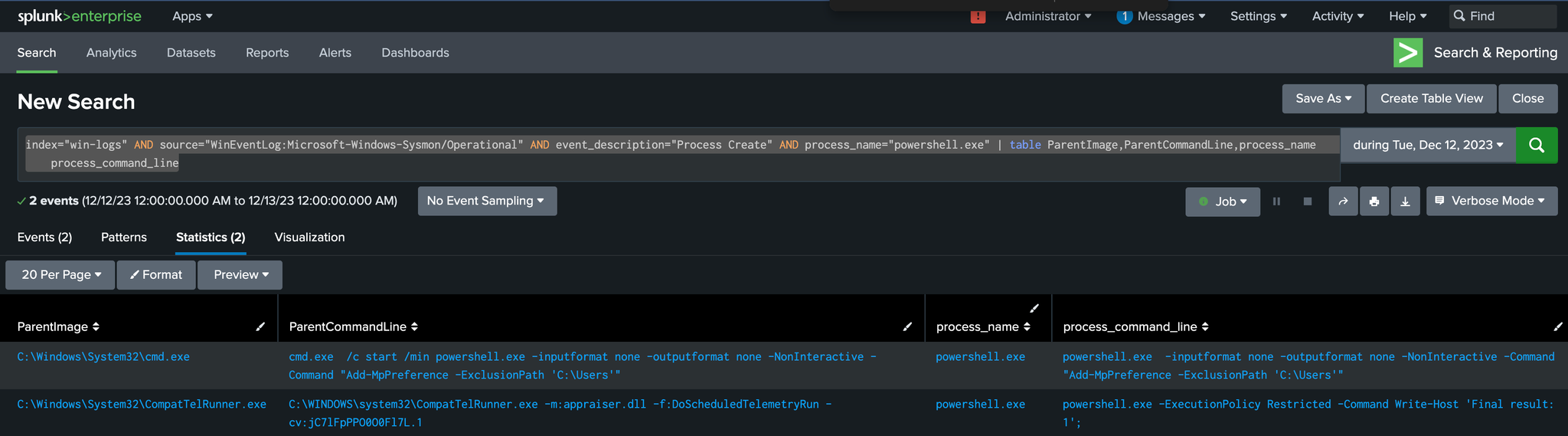
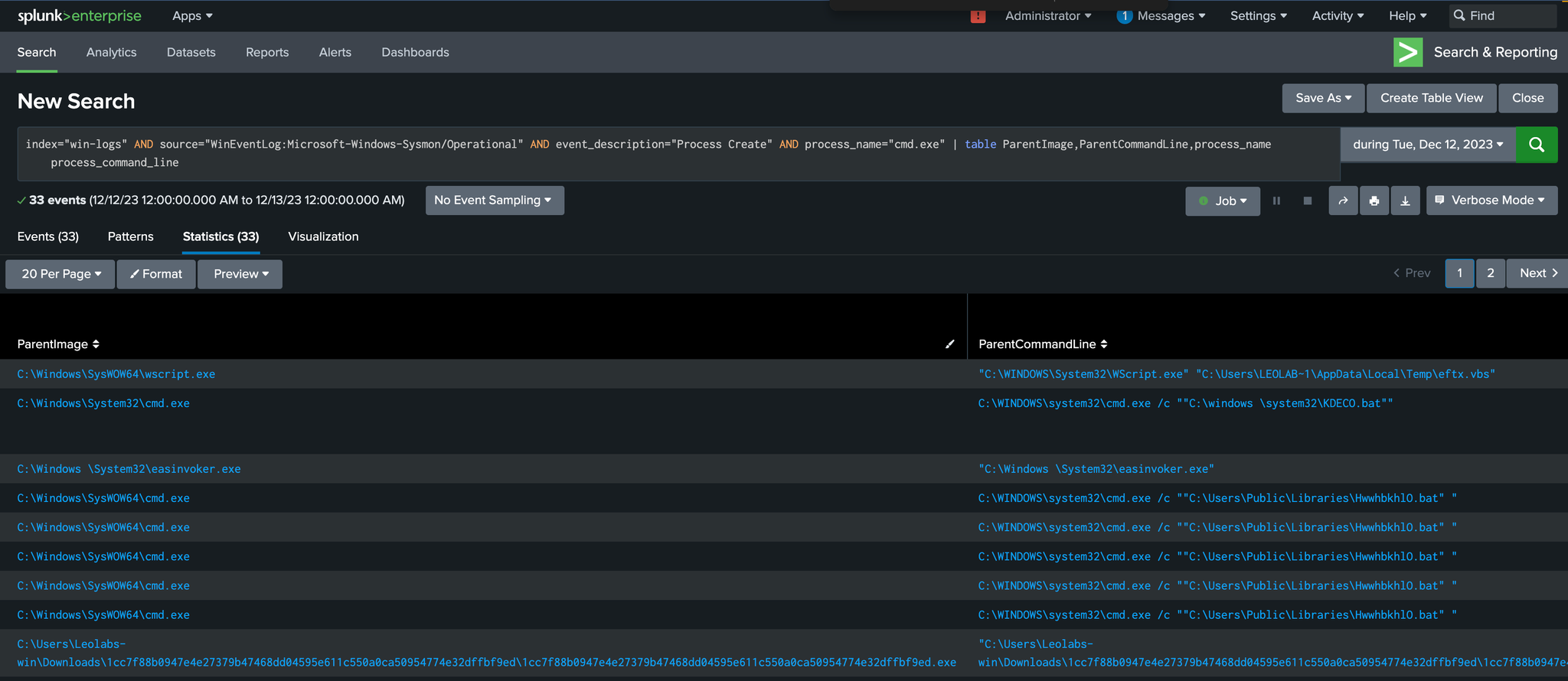
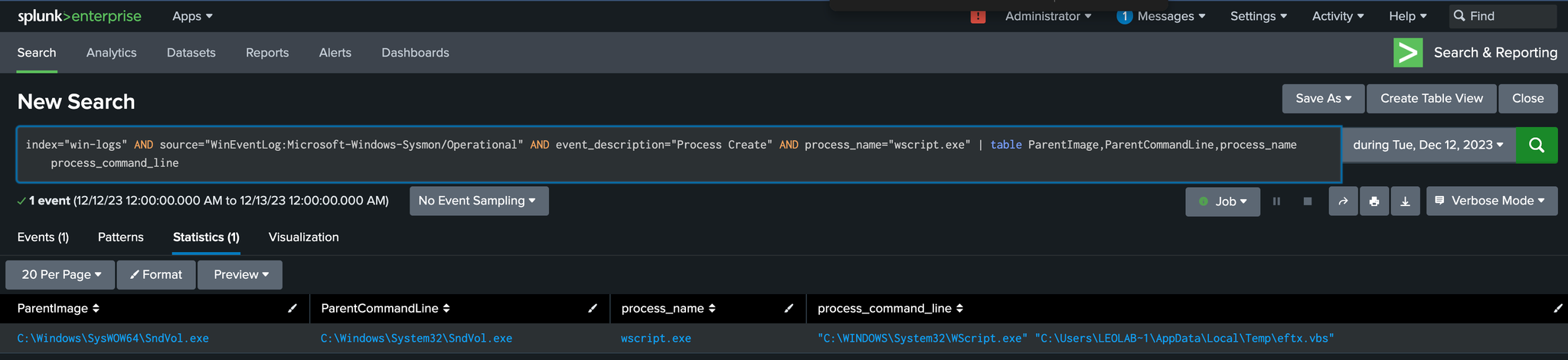
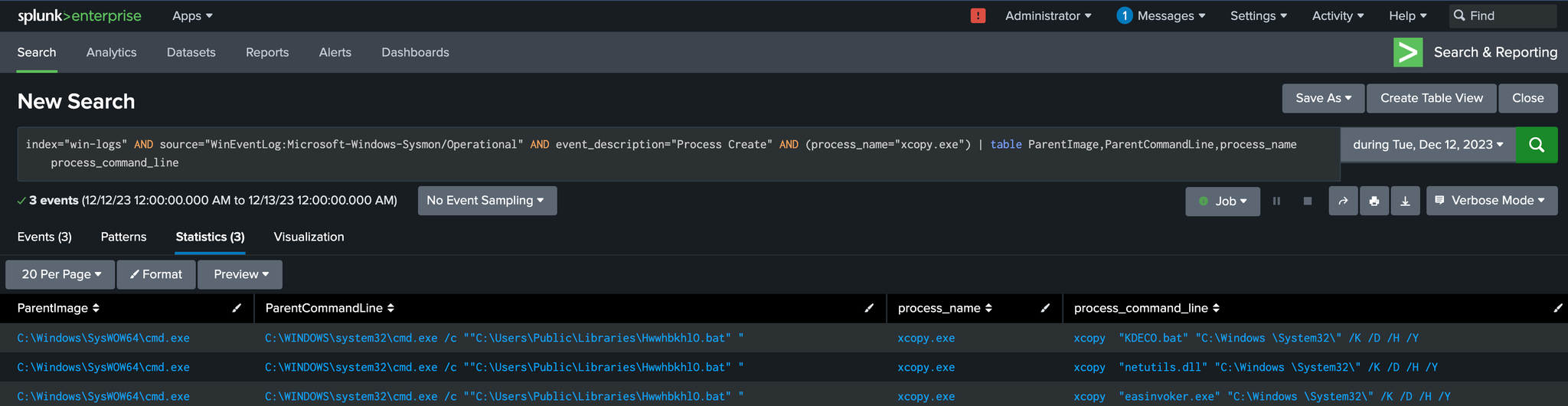
1cc7f88b0947e4e27379b47468dd04595e611c550a0ca50954774e32dffbf9ed.exe(the dropper)SndVol.exe(masquerading host process)cmd.exeeasinvoker.exexcopy.exePowershell.exeWscript.exe
Forensics Artifacts of Interest

Hunting & Detecting Remcos Malware Infection
The investigation was organized around these forensic artifacts and detection angles:
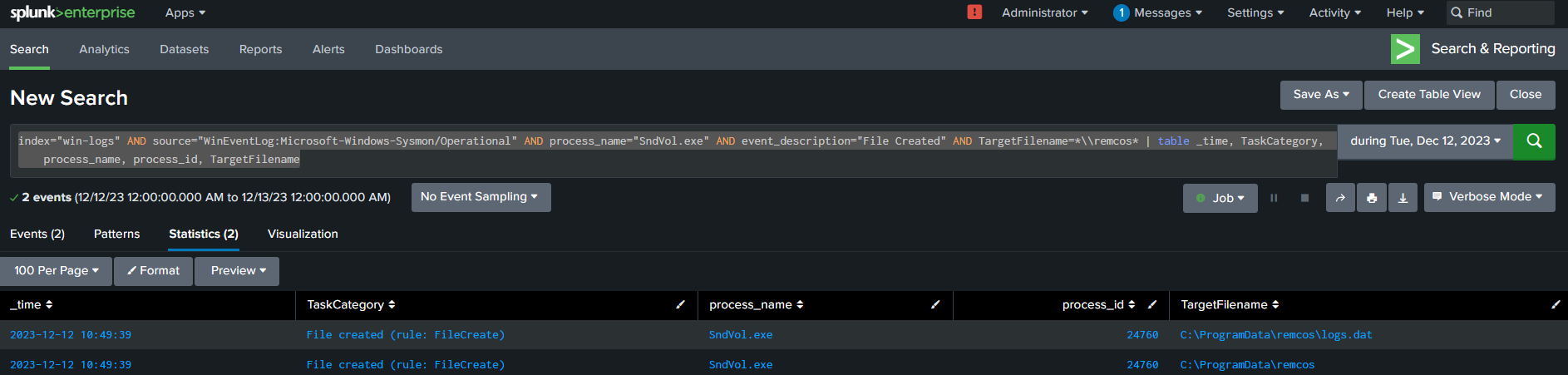
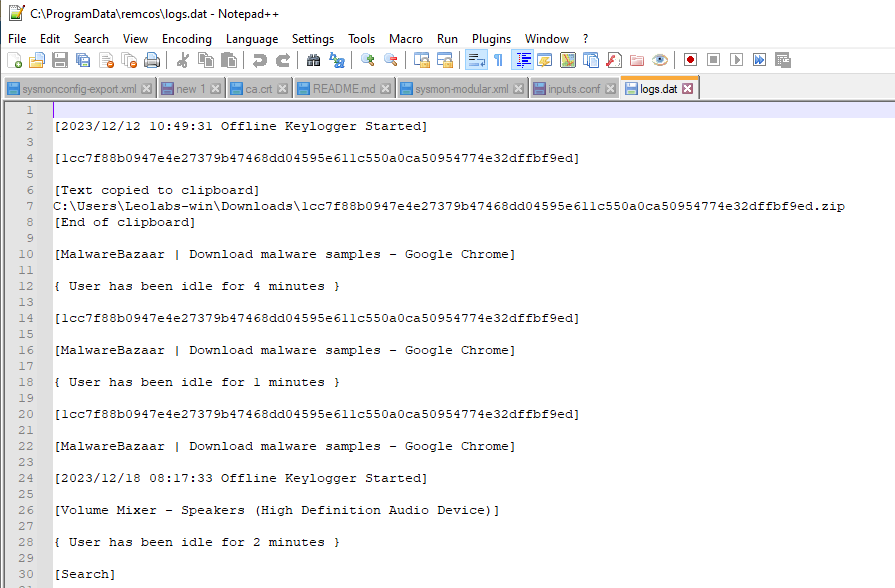
- Remcos data file creation — the RAT drops its configuration/data files on disk post-infection.
- Illegal parent-child process relationship —
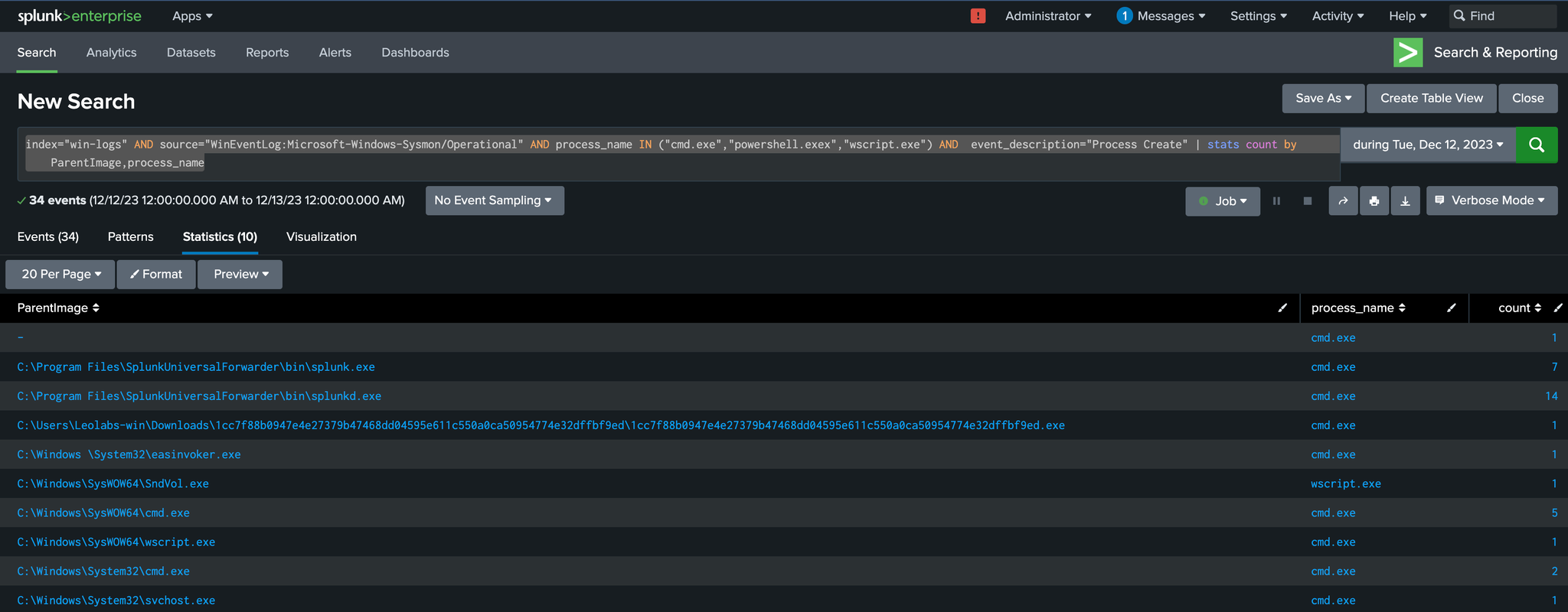
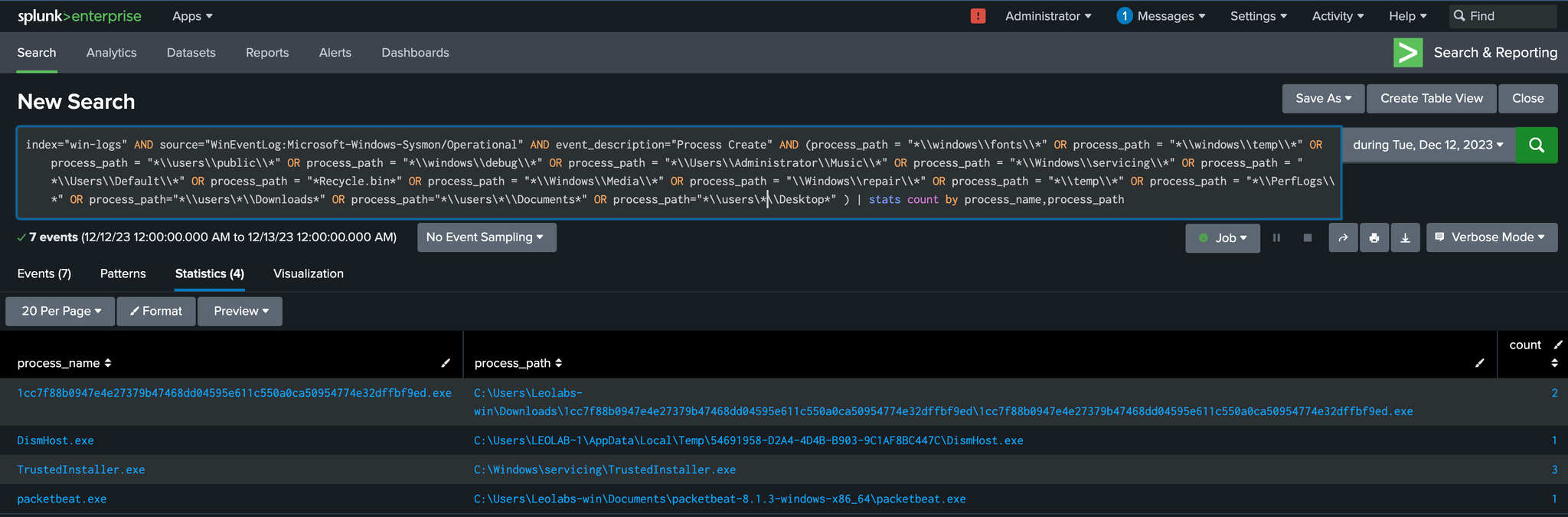
SndVol.exespawningcmd.exeis not a legitimate relationship on a normal Windows host. - Suspicious process running from a suspicious process path — binaries executing from user-writable temp/download directories rather than expected system paths.
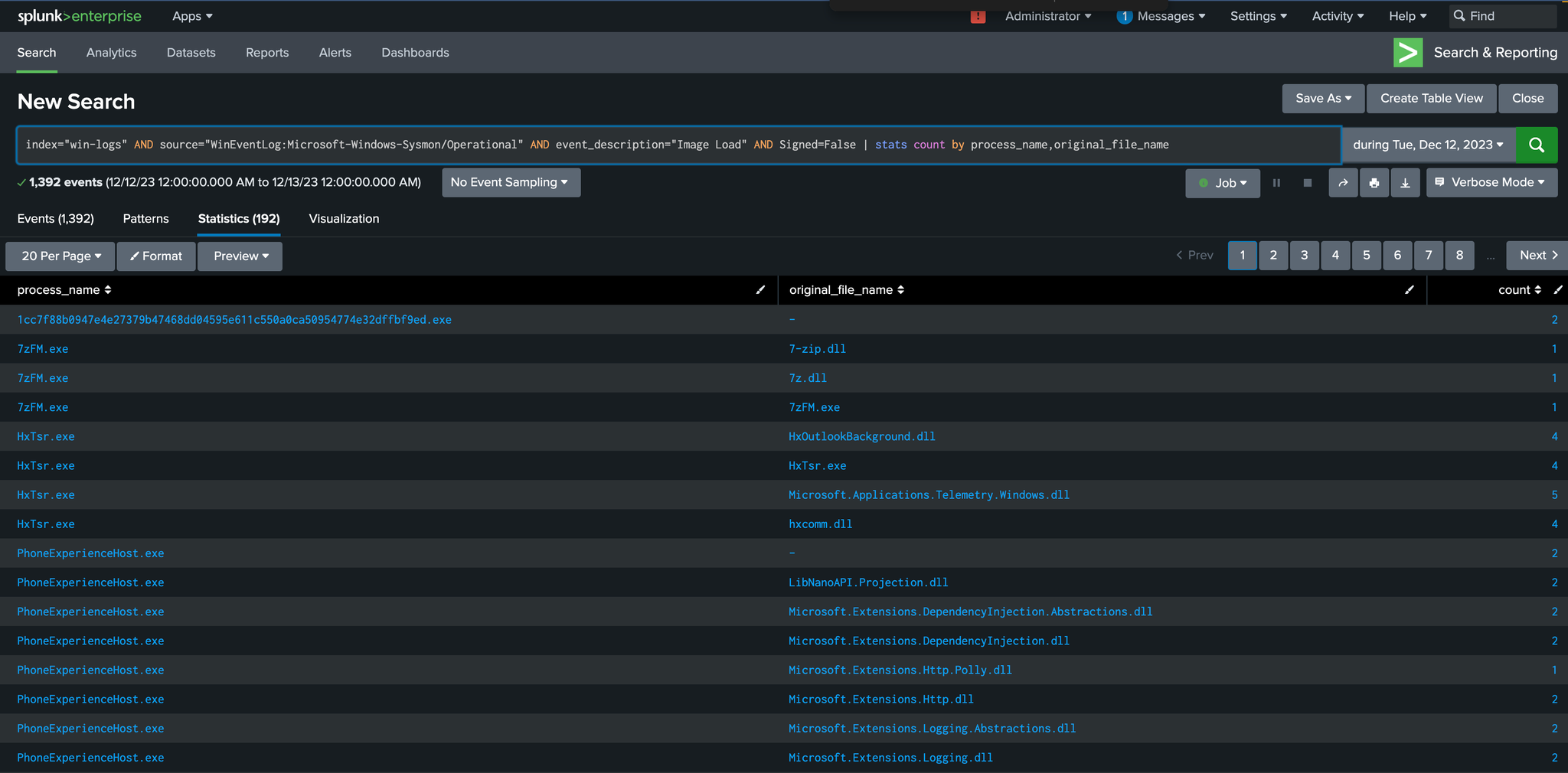
- Unsigned DLL loaded by a process — a strong signal when the parent process normally only loads signed, known-good libraries.
- Command and scripting interpreter — PowerShell — used as a staging/execution mechanism mid-chain.
- Command and scripting interpreter — Windows Command Shell (
cmd.exe) — orchestration layer between stages. - Command and scripting interpreter — Visual Basic — suspicious
.vbsfile execution viaWscript.exe. - Ingress Tool Transfer — via
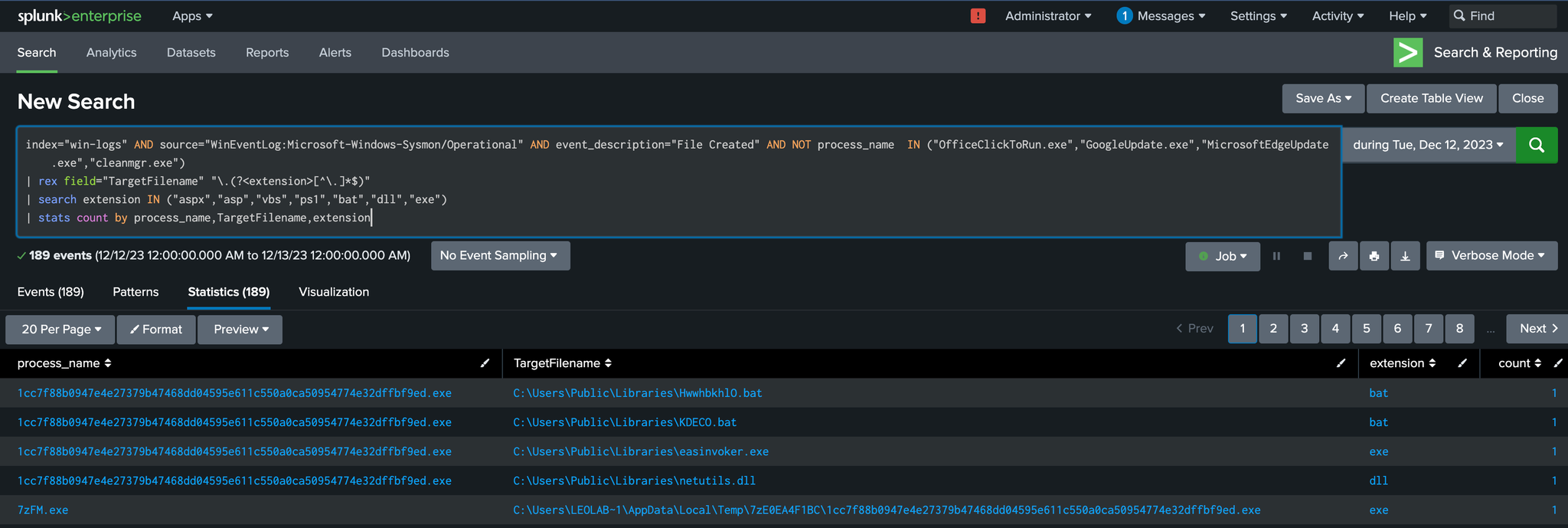
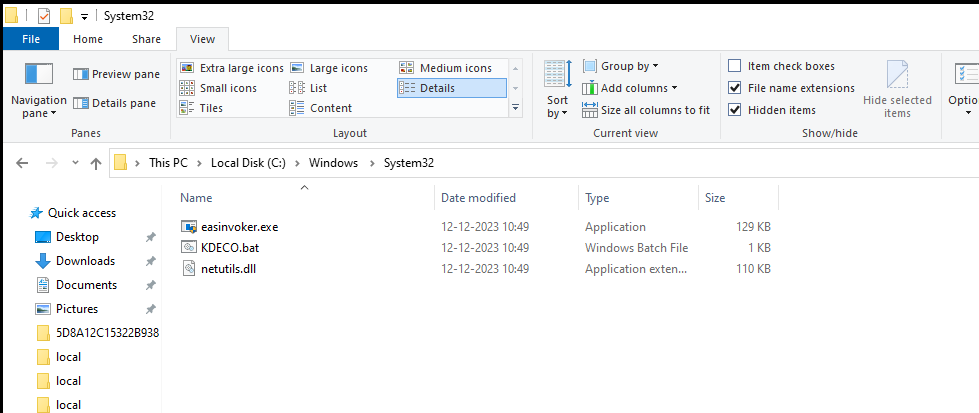
xcopy.exe, moving payload components across the filesystem. - Suspicious files created on disk — the broader set of dropped artifacts tied to the infection.
Each of these became its own hunt query against the Sysmon/Splunk pipeline, correlating process ancestry, file creation events, and command-line content to build a full picture of the Remcos infection chain — from initial execution through to persistence artifacts: